NukkadSafety Center

Safety Center

Every face-to-face moment should feel safe. Here is what Nukkad does, what you can do, what happens when someone breaks the rules, and where to get help.

Start a video chat

How Nukkad protects you

Video checkRuns in your browser every few seconds
Text checkStops threats, weapons and crime in every message
Reviewed by peopleA moderator decides on suspensions
18+ onlyAge check before the camera turns on

This week on Nukkad

Counted from our own records for the last 7 days, and updated every few minutes.

–Devices suspendedFor breaking the rules, in the last 7 days
–Suspended after under-18 reportsIn the last 7 days
–Found by automatic checksShare of all reports, in the last 7 days
–Moderator review timeMedian time from report to decision

What's new in safety

Instant Safety Exit

Instant Safety Exit

Something feels wrong? One tap on the shield next to their name leaves the chat, reports them and blocks them, without picking a reason first. You go back home, not on to the next person. It is there for everyone, in every chat with a stranger.

Updated November 2026
Text check

Text check

Every message to a stranger or a friend is checked before it is sent. Threats and plans to hurt someone, weapons, other crime such as drugs for sale, bombs, kidnapping and OTP scams, sexual talk about children and caste slurs are stopped, in English and in Hindi written in English letters. Anything else, numbers and links included, goes through. Sending them again mutes the sender and puts them in front of a moderator. It is a list of patterns, not a model that reads your chats, and nothing is stored.

Updated November 2026
Video check in your browser

Video check in your browser

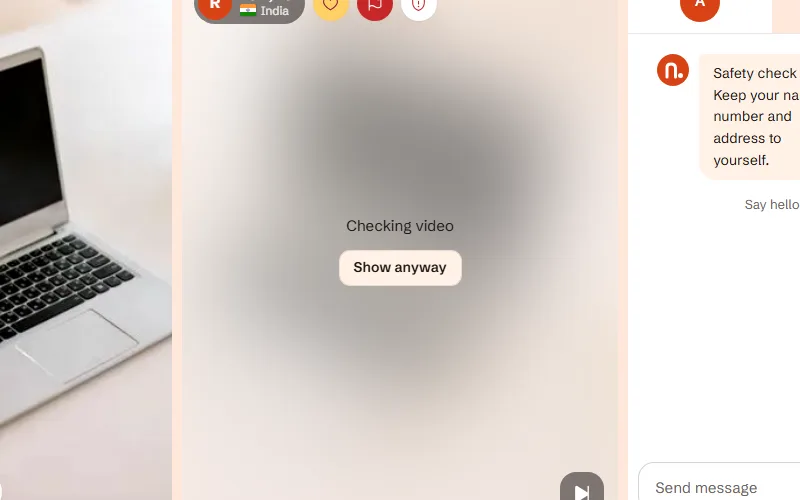
Models on your own device look at the other person's video every few seconds. Explicit video is blurred, and you choose whether to see it. A face that looks under 18, or writing about violence, weapons or crime held up to the camera, is hidden too and sent to a moderator. The models can be wrong, so they never suspend anyone by themselves, and the video never leaves your device.

Updated November 2026

Stay in control

Report during a chat

Report during a chat

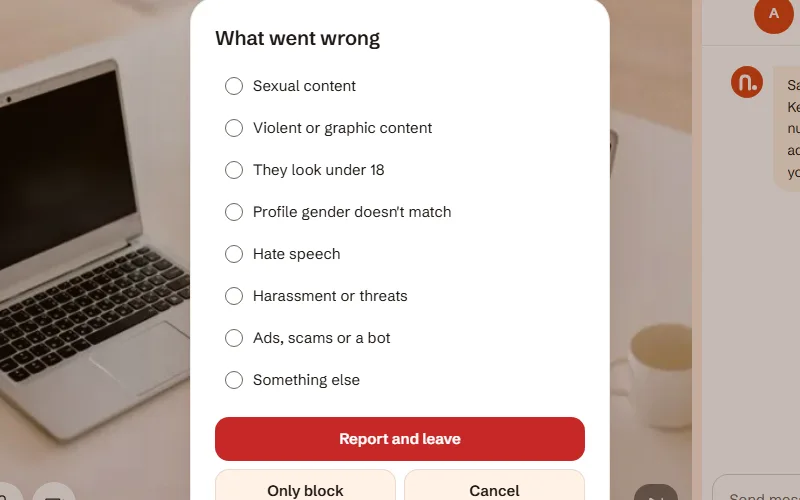
  1. Press the flag next to their name
  2. Choose what happened
  3. The chat ends and you won't meet them again
Report after a chat

Report after a chat

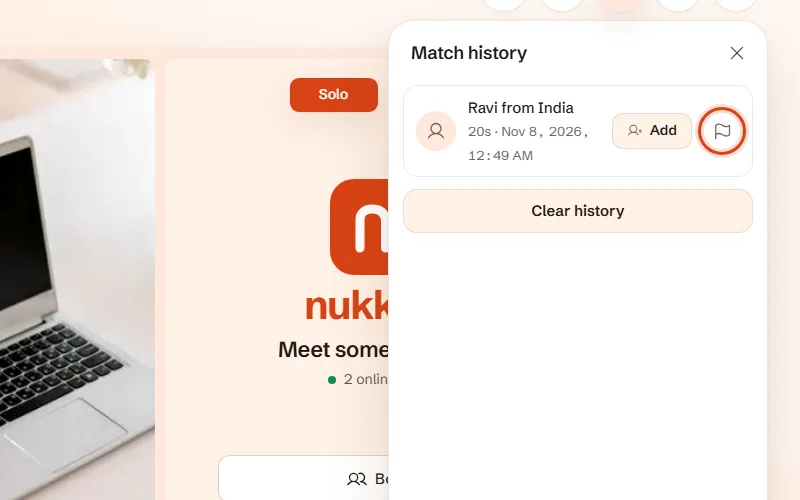
  1. Open your match history
  2. Find the person
  3. Press the flag on their row
  4. Choose what happened. This works for two days
Unfriend and block

Unfriend and block

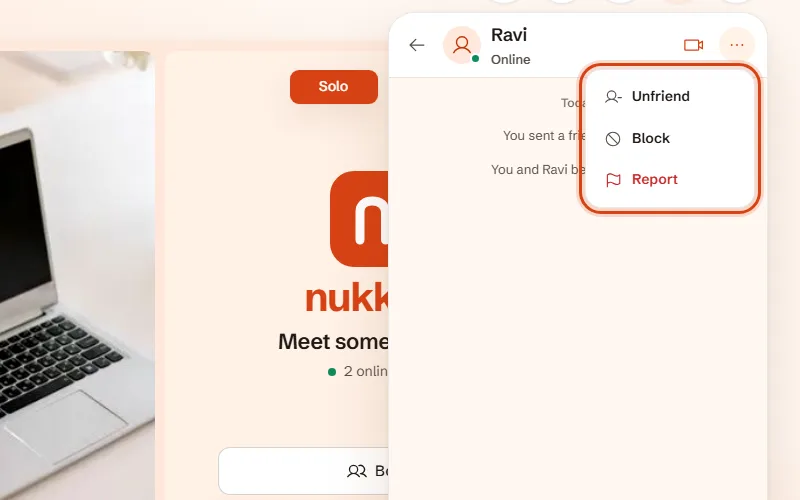
  1. Open Messages and your chat with them
  2. Press ••• at the top right
  3. Choose Unfriend to remove them, or Block so they can't reach you again
Safety tools

Safety tools

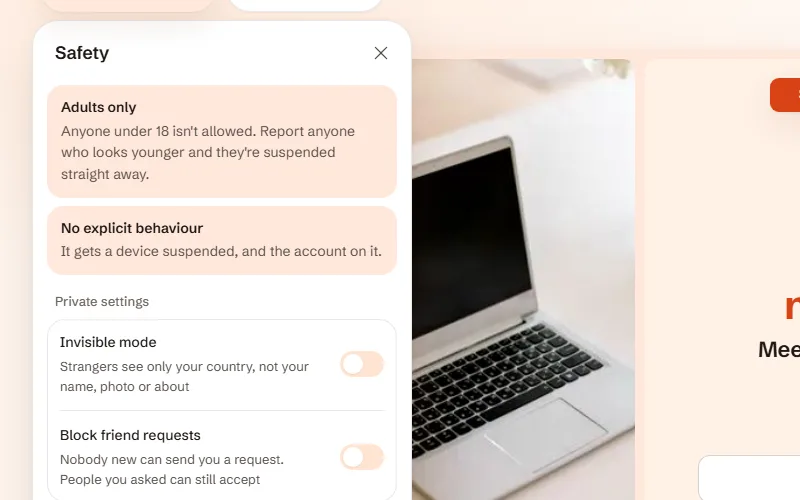
  1. Press Safety Lab at the top left of the chat page
  2. Turn on Anonymous to show strangers "Anonymous" instead of your name and photo
  3. See your blocked list in your profile

Community rules

No one under 18

Strictly for adults

Nukkad is only for people aged 18 and over. Reports about someone looking under 18 count the most.

  1. A birth date is checked before the camera turns on, and an under-18 answer is remembered
  2. Reports from people who met them add up; reports about minors weigh the most
  3. Past a limit the device and its account are suspended at once, and a moderator reviews it
  4. Anyone who is 18 or over can appeal from the suspension screen, and may be asked for proof of age

Nobody sees nudity by surprise

Their choice, never yours to force

Explicit video is blurred for the other person, who decides whether to see it. Pushing sexual talk or video on someone who doesn't want it is harassment.

  1. The video check blurs explicit video and sends it to a moderator; the other person can press Show anyway
  2. Anything sexual involving someone under 18 is never allowed: stopped in messages and reported
  3. People report what the checks miss, and a moderator can suspend for a day, a month or for good
  4. Repeats lead to a permanent ban; suspensions can be appealed

No harassment or hate

Respect the person on the other side

No threats, slurs, bullying or hate against anyone.

  1. Threats, weapons talk and caste slurs are stopped by the text check
  2. One tap on the shield leaves, reports and blocks
  3. Reports from different people add up to a suspension
  4. A moderator decides on longer suspensions

Appeals

If your device is suspended, the suspension screen has an Appeal button. Say what happened, and leave an email address if you want a reply. A moderator reads every appeal and either lifts the suspension or keeps it. You can have one appeal waiting at a time.

If you were suspended after reports that you look under 18 and you are 18 or older, say so in your appeal. We may ask you to show proof of age by email, and we delete it once we have checked.

What it cannot do

No tool makes talking to strangers risk free. A birth date can be faked, the checks can miss things or flag innocent video, and a modified browser can switch the video check off. Someone suspended could come back on a new device with a new email.

Protect yourself: keep your name, number, address and school or workplace private, keep your clothes on, and leave anything that feels wrong.

In India

Under the Information Technology Rules, 2021, you can raise a complaint with our Grievance Officer at support@example.com. Complaints are acknowledged within 24 hours and resolved within 15 days.

Report online child sexual abuse material to the National Cyber Crime Reporting Portal at cybercrime.gov.in. If someone is in danger now, call 112.

Somebody new is one click away

Start a video chat